iOS 27 Public Beta Siri AI: What Actually Changes When You Install It Today
Here's the thing that caught my attention first. Apple didn't just update Siri this time. It rebuilt it. The iOS 27 public beta Siri AI release, which went live this week, isn't another incremental voice assistant tweak, it's Apple finally shipping the conversational, genuinely capable assistant it promised back at WWDC, and now anyone with a compatible iPhone can actually try it.
Let me walk through what's really in this update, because there's more nuance here than a simple headline feature list.
Why This Update Actually Matters
Here's why this release deserves more than a passing glance. Siri has, for years, lagged noticeably behind competitors like ChatGPT and Gemini in genuine conversational ability. That gap has been a real point of frustration for iPhone users and a running joke in tech circles. This update is Apple's most direct attempt yet to close that gap, and doing it through a public beta means millions of regular users, not just developers, get to judge for themselves almost immediately.
It also matters because of what's riding on it. Apple Intelligence, the broader AI framework underlying this release, has been positioned as central to the company's future device strategy, from iPhones to the Mac to the Apple Watch. How well Siri AI performs here will likely shape public perception of Apple's entire AI direction going forward.
Read More: NLC India OFS, Vodafone Idea Rally, Airtel Relief: Three Market Stories That Defined June 9, 2026
What Siri AI Really Is, Explained Simply
Here's the concept stripped down to something anyone can follow. Think of the old Siri as a helpful but somewhat forgetful assistant who could follow single, simple instructions but struggled the moment you asked a follow up question or wanted it to actually understand context. Siri AI, by contrast, is built to hold an ongoing conversation, remember what you just asked, look at what's actually on your screen, and take multi step actions across different apps rather than just one isolated task at a time.
Practically speaking, that means Siri can now search your personal information stored on your device, understand onscreen content without you explaining it, and complete more complex requests that previously would have required several separate commands.
How To Actually Get The iOS 27 Public Beta, Step By Step
Following the installation process properly matters here, since beta software always carries some risk.
First, back up your iPhone completely, either through iCloud or a computer, before doing anything else. This step genuinely matters, since rolling back from a beta to iOS 26 later requires erasing and restoring your entire device.
Then, visit the Apple Beta Software Program website and sign up using your existing Apple Account, the same one already linked to your iPhone. Accept the program terms once you're signed in.
After that, open Settings on your iPhone, navigate to General, then Software Update, and look for the Beta Updates section. Select iOS 27 Public Beta, return to the Software Update screen, and tap Update Now once the beta appears as available.
Apple specifically recommends installing beta software on a secondary device rather than your primary phone, precisely because beta releases can include bugs, reduced battery life, and occasional third party app compatibility issues.
Real World Examples That Make This Click
Consider a genuinely practical use case. Once Siri AI is running, you could ask it to find a specific photo based on a vague description, then follow up by asking it to share that photo directly through Messages, all within one continuous conversation, without restarting your request from scratch each time. That kind of contextual follow through simply wasn't possible with the previous Siri.
Another concrete detail worth knowing, the current public beta build is based on Developer Beta 3, released July 3 for iOS, tvOS, watchOS, and visionOS, with a matching version 2 build prepared specifically for iPadOS and macOS.
Mistakes People Keep Making When Reading This News
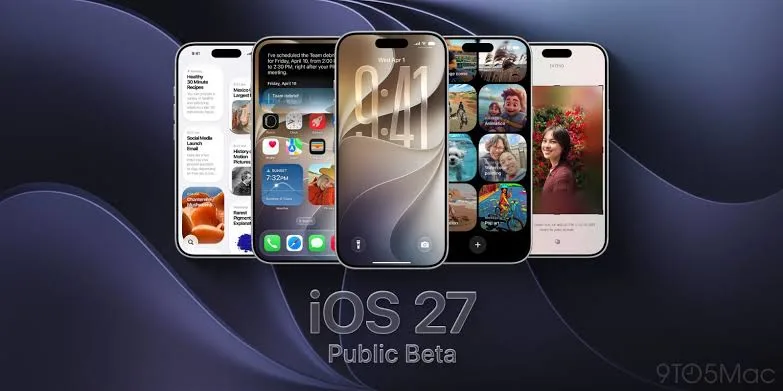
A common mistake is assuming every iPhone that can install iOS 27 will also get Siri AI. It won't. While iOS 27 itself supports iPhone 11 and newer, including the second generation iPhone SE, Apple Intelligence, and by extension Siri AI, requires an iPhone 15 Pro or newer specifically.
Another misunderstanding is treating this as a finished, polished product. It's explicitly a public beta, meaning bugs, occasional instability, and incomplete features are expected, not exceptions to watch out for nervously.
Pro Tips For Trying Siri AI Safely
If you want to test this properly without unnecessary risk, install the beta on a secondary or less critical device first, exactly as Apple recommends. Also, specifically check whether your device qualifies for Apple Intelligence before getting excited about Siri AI features, since the compatibility list is notably shorter than the general iOS 27 device list. And keep an eye on battery performance during the first few days, since beta software commonly affects battery life more noticeably than finished releases.
Closing Thoughts
There's something quietly significant about watching a company as cautious as Apple finally commit to shipping a genuinely conversational assistant, rather than continuing to iterate carefully around the edges. The iOS 27 public beta Siri AI release won't be perfect, betas rarely are, but it does mark a real shift in how Apple wants your iPhone to actually understand you, not just respond to isolated commands, but follow an actual conversation the way a person would.
Disclaimer: This article is based on information available across the web. Parchar Manch does not take responsibility for its complete accuracy, as the content could not be fully verified.
FAQs
How do I install the iOS 27 public beta?
Sign up through the Apple Beta Software Program website using your Apple Account, then enable Beta Updates under Settings, General, Software Update on your iPhone.
Which iPhones support iOS 27?
Any iPhone running iOS 26 supports iOS 27, including iPhone 11 and newer, plus the second generation iPhone SE.
Do all compatible iPhones get Siri AI?
No, Siri AI requires Apple Intelligence compatibility specifically, which means an iPhone 15 Pro or newer.
What can Siri AI actually do that the old Siri couldn't?
It can hold ongoing conversations, understand onscreen content, search personal information, and complete multi step actions across different apps.
Is it safe to install the iOS 27 public beta on my main phone?
Apple recommends installing beta software on a secondary device, since bugs, reduced battery life, and app compatibility issues are possible.
When will iOS 27 be officially released?
The final version is expected sometime in September or October, following the usual annual release pattern.