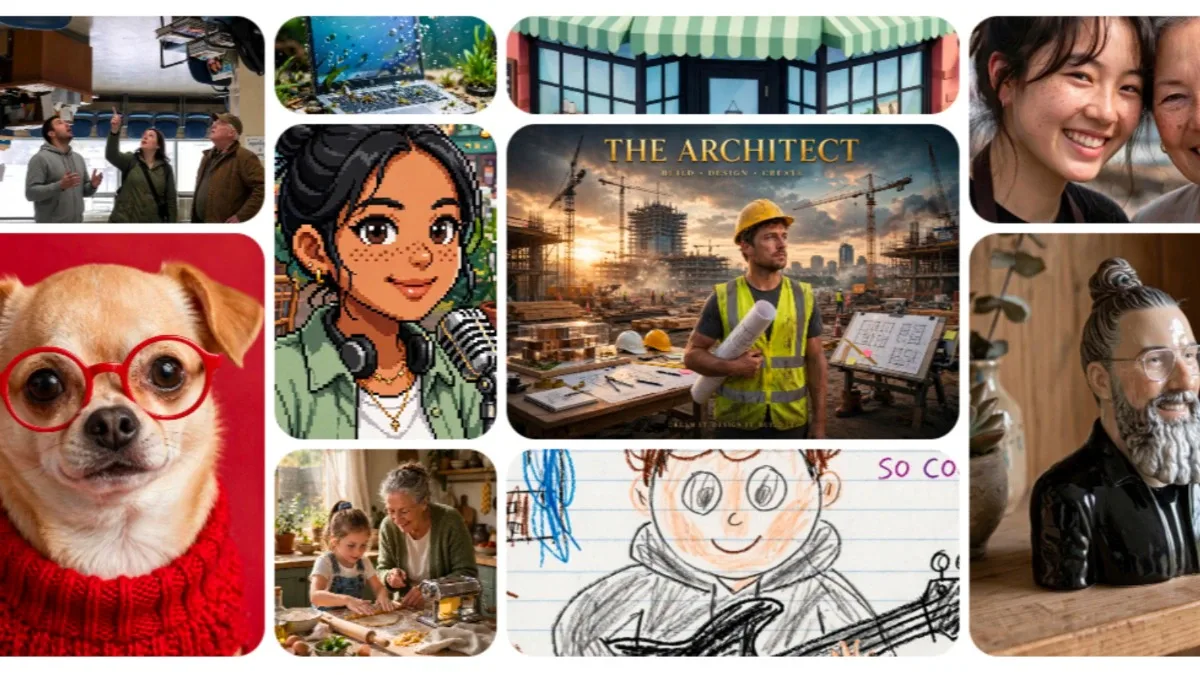
Meta Muse Image: Inside the AI Picture Generator That Just Walked Into Billions of Pockets
Here's the thing about Tuesday's announcement that took a minute to sink in. Meta didn't just release another AI toy for people to play with over the weekend. It quietly ended a dependency it had been living with for years. The Meta Muse Image model is Meta's first fully in-house image generator, and it's already sitting inside the Meta AI app, Instagram Stories, and WhatsApp for millions of people who probably don't even realize what changed under the hood.
For a while, Meta borrowed its image-generation muscle from outside companies, Midjourney and Black Forest Labs, mainly. That's over now. Or at least, it's fading out. This is Meta building its own engine instead of renting one, and that shift matters more than the shiny demo images suggest.
Why This Actually Matters
You might be thinking, so what, it's just another AI art generator, there are dozens already. Fair point. But Muse Image isn't really about pretty pictures. It's about who owns the entire AI pipeline, from the raw model all the way to the app on your phone. When Meta stops paying outside companies for image tech, it keeps more of the data, more of the control, and more of the money. That's the quiet urgency here, a company that spent billions on AI infrastructure finally cashing in on it directly rather than licensing someone else's work.
There's also a genuinely useful side for regular people. If you've ever wanted to turn a vacation photo into something wilder, an oil painting, a sci-fi matte painting, a toy figure in a diorama, this is the tool doing that now, built right into apps you already open every day.
What Muse Image Really Is, Explained Simply
Think of most AI image generators as a very literal translator. You type a sentence, it hands you a picture, done. Muse Image works differently. Meta describes it as an agent, not a translator. That means instead of going straight from your words to a finished image, it pauses, checks its own work, sometimes searches the web for facts, sometimes even writes code to get details like text or shapes right, and then decides whether to touch up the image or scrap it and start over.
It's a bit like handing a task to someone who double-checks their own homework instead of turning in the first draft. Meta didn't program this self-checking behavior directly, interestingly. It reportedly emerged on its own during training, because images that got revised turned out better, so the model kept doing it.
Read More: SBI Funds Management IPO: Why India's Biggest Asset Manager Going Public on July 14 Actually Matters
How Muse Image Works, Step by Step
Here's the practical walkthrough, the part you'd actually want to know before opening the app.
- You type what you want in plain conversational language. No special formatting, no code words.
- You can @ mention a photo, your own or someone else's public one, to pull it directly into the creation.

- The model can search the web mid-generation, which helps when your prompt involves something factual or tied to current events, a landmark, a real object, that kind of thing.
- If a detail comes out wrong, it corrects locally. If the whole image misses the mark, it starts fresh rather than settling.
- The finished image can go straight to your Instagram Story, a WhatsApp chat, or your feed.
Simple enough on the surface, but that self-correction loop running quietly underneath is what separates it from earlier, cruder tools.
Read More: Modi Albanese Meeting: Why This Melbourne Handshake Could Reshape India's Energy Future
Real-World Examples That Make This Click
Say you upload a photo of your dog and ask for a classical oil painting version, thick brushstrokes, dramatic lighting, the whole museum-wall look. Muse Image doesn't just filter the photo. It reconstructs it as though a painter actually studied the pose and lighting first.
Or picture a small business owner running ads. Through Meta's Advantage Plus advertising tools, Muse Image can take one existing product photo and generate multiple on-brand variations automatically, something that used to require a designer and a few days of back and forth.
Mistakes People Keep Making With AI Image Tools
The most common one, and it's an easy trap, is assuming every AI image generator works the same way, so people expect instant perfection on the first try. With Muse Image, the model is designed to iterate. Giving it a vague one-line prompt and judging the result as final is a bit like judging a rough sketch as a finished painting.
Another mistake is ignoring privacy settings. Meta reportedly made using public Instagram photos as AI-generation references an opt-out setting by default, which caught plenty of people off guard, including talent agency CAA, which raised concerns publicly. If you have a public Instagram account and don't want your photos referenced this way, check your settings rather than assuming you're excluded.
Read More: Ramayana Trailer Launch: Why Nitesh Tiwari Is Turning a Movie Preview Into a National Event
Pro Tips That Actually Help
Give Muse Image specifics, not just a mood. Lighting direction, texture, era, camera style, these small details feed its reasoning process and noticeably improve output quality. If the first result feels close but not quite right, ask for a targeted edit instead of a whole new generation, the model handles that gracefully thanks to its self-refinement design.
If you're an advertiser, know that broader Advantage Plus integration is still rolling out in phases, so full creative automation isn't available everywhere yet.
Closing Thoughts
What strikes me most about this release isn't the technology itself, honestly, it's the timing. Meta shipped its first proprietary language model in April, and just months later it shipped an image model built with the same lab and same ambitions. That's a company moving fast, maybe faster than its own naming conventions or privacy defaults have caught up with. Whether Muse Image becomes the tool people reach for daily, or just another feature buried in a menu, depends less on benchmarks and more on trust, the kind that gets built slowly and lost quickly.
Read More: Pokémon GO Fest 2026 Global Begins July 11, and For the First Time Ever, It Costs Nothing to Join
Disclaimer: This article is based on information available across the web. Parchar Manch does not take responsibility for its complete accuracy, as the content could not be fully verified.
FAQs
What is Meta Muse Image?
It's Meta's first in-house AI image generation model, built by Meta Superintelligence Labs, available through the Meta AI app, Instagram Stories, and WhatsApp.
Is Muse Image free to use?
Basic image generation is free. Heavier or advanced usage requires a Meta One subscription once free limits are reached.
How does Muse Image compare to competitors like GPT Image 2 or Nano Banana?
Meta's internal benchmarks show Muse Image trailing OpenAI's GPT Image 2 slightly but outperforming Google's Nano Banana 2 on image editing tasks.
Can Muse Image use my Instagram photos?
If your Instagram account is public, your photos may be referenced by default through an opt-out setting, so it's worth checking your privacy preferences.
Will Muse Image be available on Facebook?
If your Instagram account is public, your photos may be referenced by default through an opt-out setting, so it's worth checking your privacy preferences.
Is Muse Video related to this release?
Yes, Muse Video is a companion AI video generation model built on the same foundation, previewed alongside Muse Image but not yet publicly released.