Microsoft Finally Admits It: Windows 11 Will Let You Remap That Annoying Copilot Key
There is a key on millions of new laptops that most people have never intentionally pressed. And yet, somehow, it keeps getting in the way.
The Windows 11 Copilot key remap update is now officially confirmed by Microsoft, and frankly, it is long overdue. The company has quietly acknowledged in a support document that users who depended on the Right Ctrl key or the Context Menu key for their daily workflows "experienced some challenges" when newer PCs showed up with a shiny Copilot button sitting exactly where those keys used to be. That is, in corporate language, a polite way of saying: we heard you, and yes, we made a mistake.
Here is everything you need to know, from why this happened to how you can fix it right now.
Why the Copilot Key Was a Problem From Day One
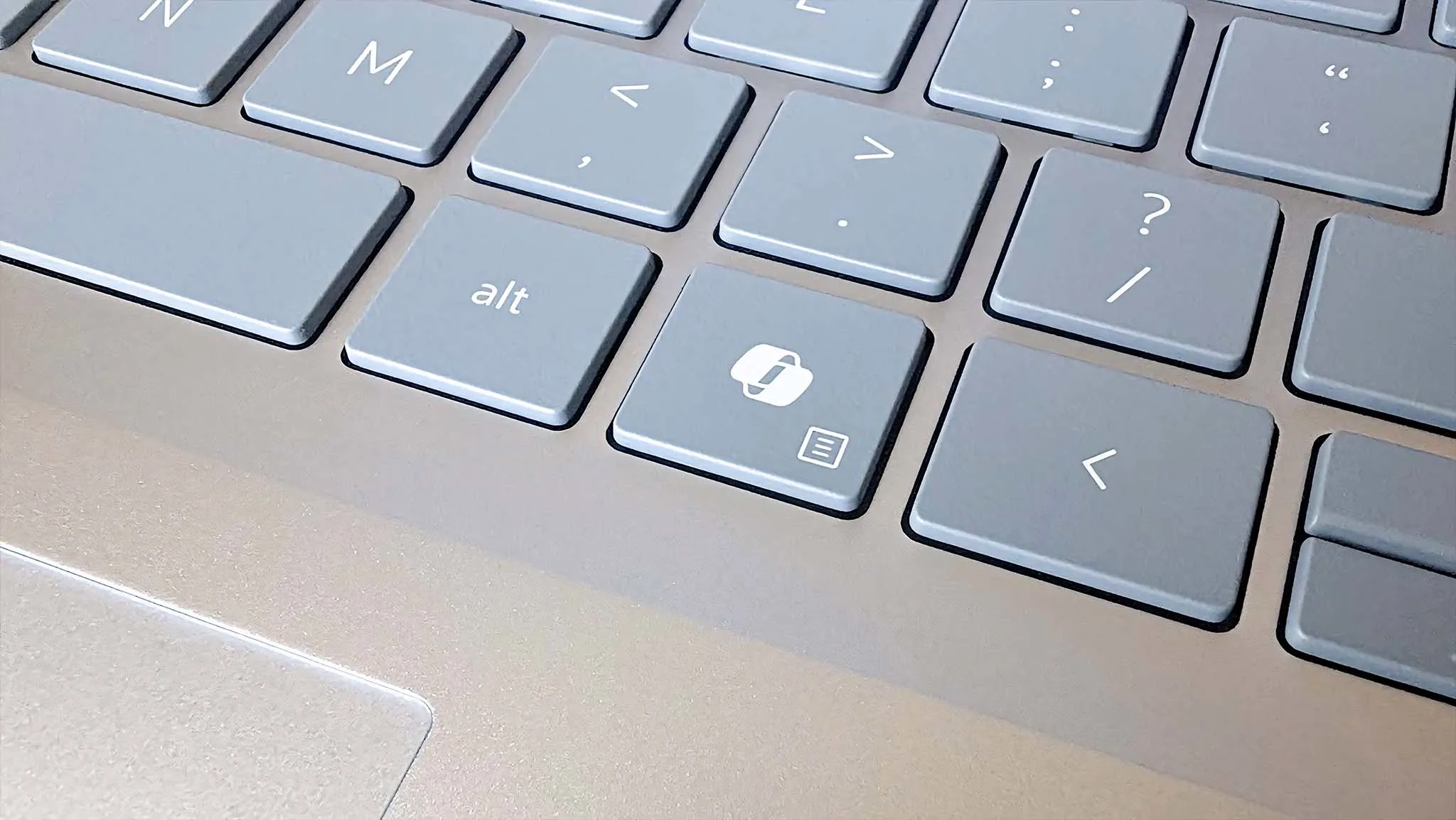
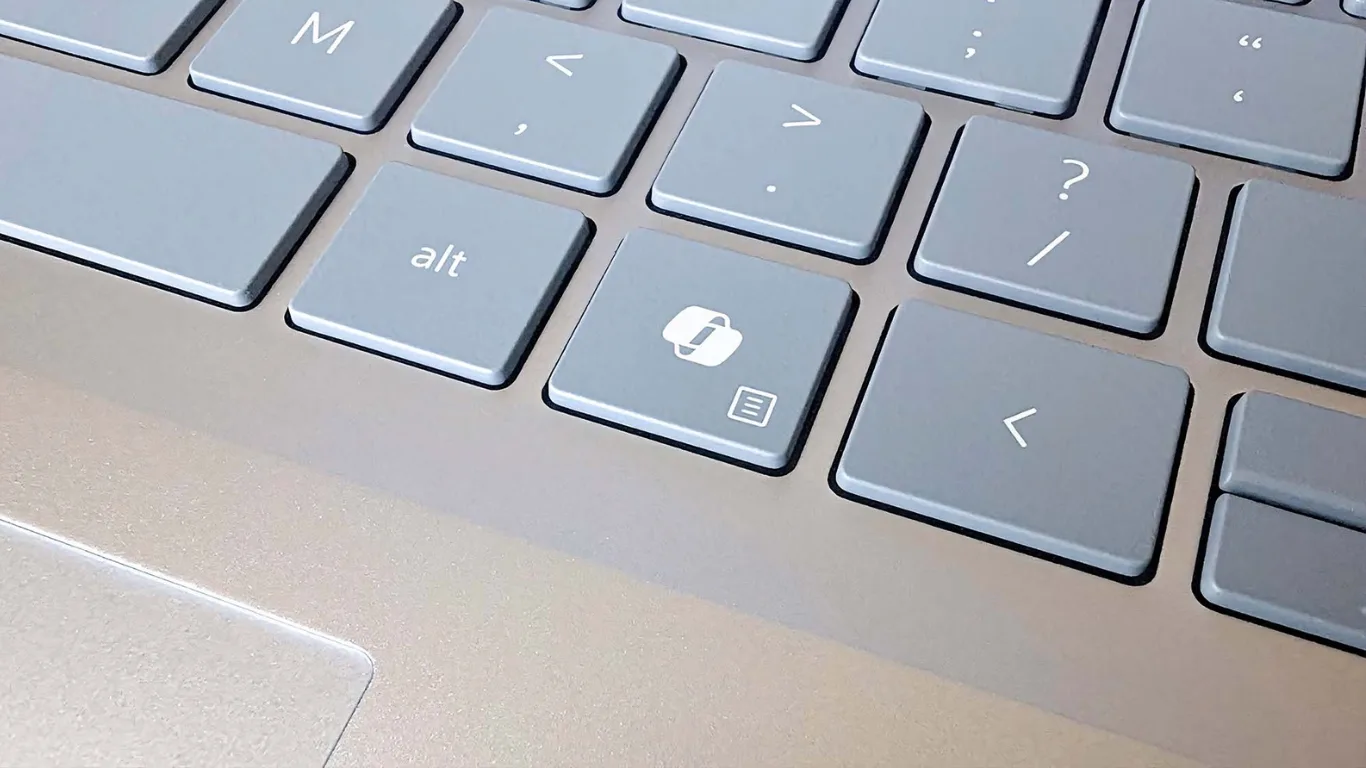
When Microsoft introduced the dedicated Copilot key in early 2024, it called the change the biggest alteration to the Windows keyboard layout in roughly three decades. That was not an exaggeration. The key landed in prime real estate, usually right where the Right Ctrl key or the Context Menu key had always lived.
For most casual users, that seemed minor. But for developers, accessibility tool users, writers, gamers, and anyone who had built years of muscle memory around that corner of their keyboard, it was genuinely disruptive. Pressing a shortcut in a code editor and accidentally launching an AI assistant is not a charming inconvenience. It is the kind of quiet frustration that builds over months and eventually turns into resentment.
Microsoft encouraged PC manufacturers to adopt the Copilot key on new Windows 11 laptops and keyboards throughout 2024, and most of them did. Dell, Lenovo, HP, Samsung, and even Microsoft's own Surface Pro 10 and Surface Laptop 6 shipped with the key front and centre. By mid-2025, finding a new Windows laptop without it had become genuinely difficult.
The deeper issue was not just inconvenience. Some assistive technologies, including screen readers, depend heavily on the Right Ctrl key, meaning users who relied on those tools found their workflows quietly broken by a key they had no way to turn off natively through Windows Settings.
What Microsoft Is Actually Doing About It
Microsoft has now officially confirmed that a Windows 11 keyboard customisation update arriving later in 2026 will introduce a native setting to remap the Copilot key. Users will be able to reassign it to act as either the Context Menu key or the Right Ctrl key, with the setting sitting inside Settings > Bluetooth and devices > Keyboard.
This is part of a broader Microsoft initiative referred to as the Windows K2 effort, a push to address Windows 11's most persistent and loudly requested fixes. Other planned improvements under this effort include the ability to move the Taskbar and pause Windows updates indefinitely, so the Copilot key remap sits alongside a wave of quality-of-life changes that Windows power users have been requesting for years.
The exact release timing has not been pinned to a specific date. The feature is expected in the second half of 2026, possibly as early as a September moment update or the annual feature rollout. Windows Insiders in the Release Preview Channel should see it before the general public does.
How the Copilot Key Remapping Will Actually Work
Once the update rolls out, the process is straightforward enough that anyone can do it without touching the registry or downloading third-party tools.
Open Settings on your Windows 11 PC. Navigate to Bluetooth and devices, then select Keyboard. A new option will appear, likely labelled something close to "Copilot key behaviour," presenting a dropdown with three choices: keep it as Copilot, switch it to Right Ctrl, or switch it to the Context Menu key. Select your preference, and the change applies system-wide immediately.
Some PC manufacturers already include remapping options in their own on-device software, but this new Windows-level setting will apply universally across all Windows 11 PCs with a Copilot key, regardless of brand. That matters because manufacturer-specific tools are inconsistent, and not every user knows they exist.
One caveat worth knowing: Microsoft has noted that if you remap the Copilot key to Right Ctrl, some key combinations involving the physical Left Shift key together with Right Ctrl may not work consistently on all keyboards. In those cases, using the Right Shift key is recommended as a workaround. Also, Microsoft advises not to run this built-in remapping setting alongside manufacturer-specific keyboard customisation software at the same time, as doing so can cause conflicts or unpredictable behaviour.
What If You Cannot Wait for the Update?
If the official update feels too far away and the Copilot key is actively disrupting your work, there is a working solution available right now.
A lightweight open-source tool called NoCopilotKey has been available since early 2025. It installs a low-level keyboard hook that intercepts the signal from the Copilot button and converts it to a standard Right Ctrl key press. It operates at the driver level, so it works universally across all applications, including situations where user-mode tools sometimes fail, such as UAC prompts and login screens.
The tool uses less than 1MB of RAM, runs silently in the background, and persists across restarts. You can grab it from GitHub, run the installer, and choose whether to apply it for all users or just your own account. To uninstall, simply run the same installer file again or end the process through Task Manager.
Alternatively, if you already use Windows PowerToys, the Keyboard Manager module lets you remap individual keys system-wide, and the Copilot key can be reassigned there in about two minutes. PowerToys is published by Microsoft itself, so it is as official as a third-party tool gets.
The Bigger Picture: What This Tells Us About AI on Windows
There is something worth pausing on here. Microsoft framed the Copilot key as a bold hardware bet on the future of AI PC keyboards and AI-powered computing. The key was supposed to be the physical handshake between users and an AI assistant that would become indispensable.
That has not quite happened. Former Microsoft executives have acknowledged that Copilot adoption among paying Microsoft 365 users remains extremely low. Telemetry, according to observers online, apparently showed that users were avoiding the Copilot key at every opportunity.
The pattern is not entirely new. Apple faced nearly identical backlash when it replaced physical function keys with the Touch Bar on MacBook Pros between 2016 and 2021. The negative response eventually forced a full reversal back to physical keys. The lesson then, as now, is that removing well-established keyboard controls in favour of a button tied to an evolving software feature rarely ends well.
A keyboard key is not just a shortcut. It is a physical extension of habit, and habits are stubborn for good reason.
Mistakes People Keep Making With the Copilot Key
The most common mistake is simply not knowing the key can be remapped at all, even now, before the official update. Many users have just accepted the accidental Copilot launches as part of life with a new laptop, not realising that tools like PowerToys and NoCopilotKey already exist.
A second mistake is using manufacturer remapping software and then installing NoCopilotKey on top of it. That creates conflicts. Stick to one method at a time.
And when the native Windows update does arrive, some users will likely try to use the Copilot key remap setting while keeping manufacturer keyboard software active simultaneously. That is the exact combination Microsoft warns against. Choose one and disable the other.
Pro Tips That Actually Help
For enterprise environments and IT administrators, watch whether Microsoft will eventually allow the Copilot key behaviour to be managed through Group Policy or device management platforms like Intune. That would matter significantly for large-scale deployments where keyboard consistency and accessibility compliance are real concerns. Microsoft has not confirmed this yet, but the demand is clearly there.
If you are on a compact laptop where the Copilot key sits near your thumb, accidental presses are especially frequent. Remapping it to the Context Menu key, rather than Right Ctrl, can reduce the disruption even further since the Context Menu function has a reliable keyboard shortcut alternative in Shift+F10.
Also worth knowing: the Windows 11 Copilot key remap setting, once available, will not affect laptops that do not have a dedicated Copilot key. It only appears for eligible hardware. So if you upgraded a keyboard to one that does not include it, this setting simply will not show up in your Settings menu.
Closing Thoughts
There is something quietly significant about a company the size of Microsoft admitting, plainly, that a hardware decision it pushed across the entire PC industry caused problems for real users. The support document language is unusually direct: "experienced some challenges to their workflows" is about as close to an apology as corporate documentation ever gets.
The Copilot key remap update is a small feature in the technical sense. But what it represents is more interesting. It is a signal that user experience still has to win, even when corporate strategy is pushing hard in a different direction. AI will keep integrating into Windows; that seems certain. But the way it integrates matters, and a key that nobody wants is a good reminder that technology should serve the person using it, not the other way around.
The update will arrive. In the meantime, you now know exactly what to do.
FAQs
What is the Windows 11 Copilot key remap update?
It is an upcoming Windows 11 update that will let users change the function of the dedicated Copilot key on newer laptops and keyboards. Instead of launching Copilot, the key can be set to work as a Right Ctrl key or a Context Menu key, accessible from Settings > Bluetooth and devices > Keyboard.
When will the Copilot key remap feature be available?
Microsoft has confirmed it is coming later in 2026, likely in the second half of the year. Windows Insiders in the Release Preview Channel should see it ahead of the general rollout.
Can I remap the Copilot key right now without waiting?
Yes. You can use Windows PowerToys' Keyboard Manager to remap it immediately. The open-source NoCopilotKey utility is another option that restores Right Ctrl functionality at the driver level and works across all applications, including admin-level prompts.
Will the remapping work on all laptops?
The native setting will apply to all Windows 11 PCs with a dedicated Copilot key. However, Microsoft has noted that some Left Shift plus Right Ctrl combinations may not work consistently on all hardware after remapping.
Does remapping the Copilot key disable Copilot entirely?
No. Remapping only changes what the physical button does. Copilot remains available through the Start menu, system tray, and other entry points within Windows 11.
Is it safe to use NoCopilotKey while waiting for the official update?
Yes, for most users. It is lightweight, open-source, and widely used. Do not run it alongside manufacturer-specific keyboard remapping software at the same time, as the two can conflict with each other.